
What is a website maintenance plan?
A website maintenance plan is an ongoing arrangement where someone looks after the technical side of your website for a monthly fee. You might also see it called a support plan or a care plan. But they all mean much the same thing.
For a WordPress site, that usually means keeping the software updated, making regular backups, watching for security problems and fixing things when they go wrong. Many plans also include hosting, so one person is responsible for the whole thing rather than you being caught between a host and a developer.
What happens if you don’t have a plan in place?
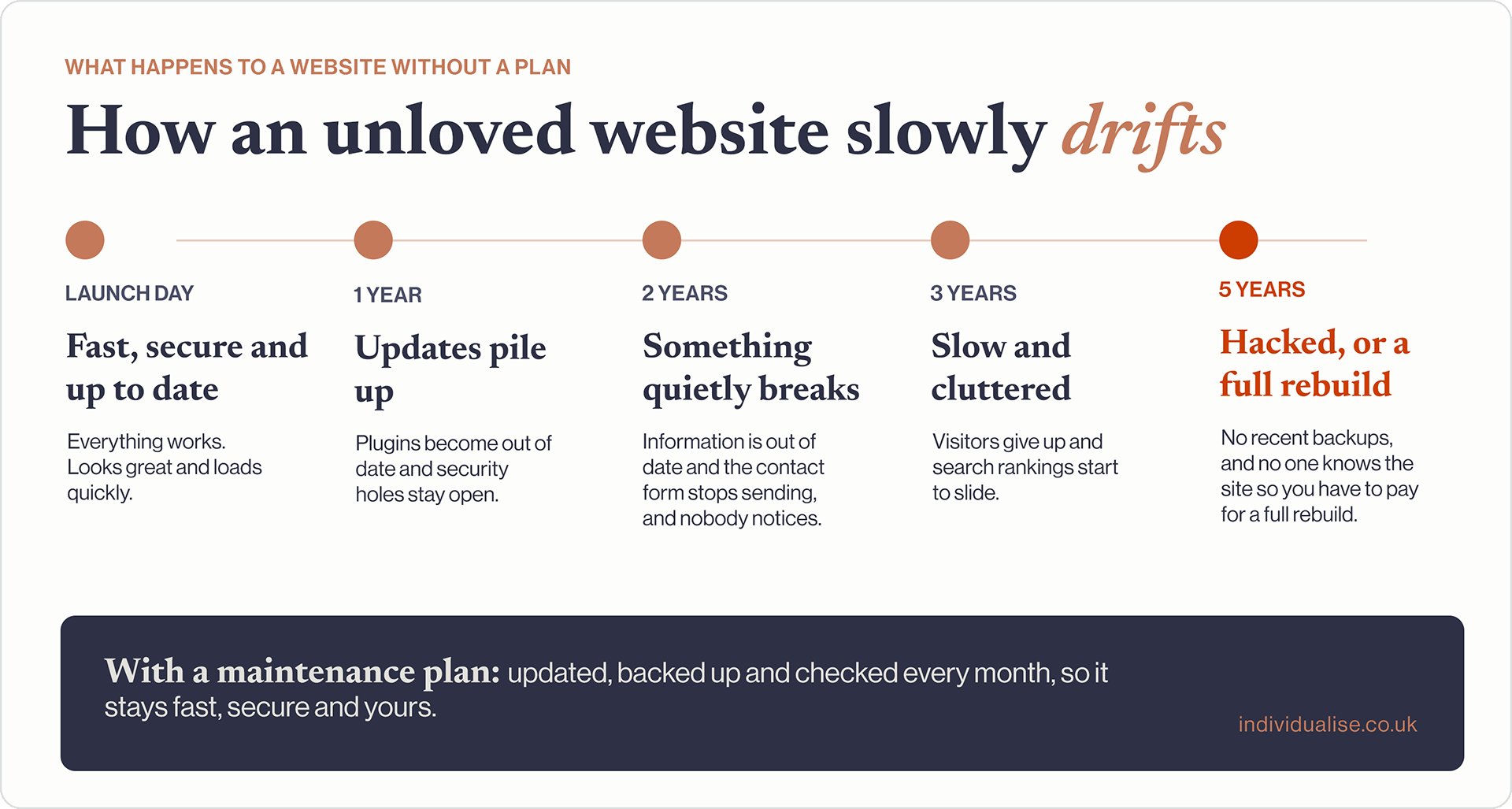
Most websites rarely fail overnight. One minute they are shiny and new, next they’ve slowly drifted behind the scenes and aren’t really working for your business and start to become vulnerable and exposed. These are the five problems I’ve seen most often on sites that haven’t been looked after.
- Security gaps. Out of date plugins are the most common way WordPress sites get hacked. Updates often exist to close a known hole, and once a hole is public, automated bots go looking for sites that haven’t patched it.
- Things break when you least expect it. WordPress is good at telling you when updates are available, but an update to one thing can affect a different part of your website. Clicked through without checking, updates can clash with each other. A contact form stops sending, or a page layout starts to look odd, and nobody notices until a new customer mentions it.
- No way back. Few things are worse than finding out your site has been hacked or your data has been wiped out. Without regular backups stored somewhere separate, you could lose your site entirely, and repairing the damage is expensive and time-consuming.
- A slower site. Sites start to build clutter over time: unused plugins, oversized images, old files. Slow pages lose visitors and do your Google search and AI rankings no favours.
- No one to call. When something does go wrong, you’re left searching for help, often from someone who has never seen your site and needs time (and your money) to work out how it was built.
What should a website maintenance plan include?
Plans vary a lot, and a cheap one can look similar to a good one on paper. These are the things worth checking for.
The essentials
- Updates to WordPress, your theme and plugins, checked after updating rather than just switched on automatically
- Regular backups, stored away from your website, that can actually be restored when needed
- Security monitoring, so problems are spotted and dealt with quickly
- Uptime monitoring, so someone knows when your site goes down, ideally before you do
- An SSL certificate (the padlock in the browser), kept valid and renewed
What makes a plan good rather than basic
- Good-quality hosting, on fast, secure servers built for WordPress rather than the cheapest shared server going. Good hosting makes your site quicker, keeps it online and makes everything else on this list easier.
- Testing updates before they go live, on a copy of the site, so changes don’t break the real one.
- Protection that stops problems before they start, such as a firewall, bot protection and protection against known plugin weaknesses. A basic plan cleans up after a hack; a good one makes it much less likely to happen.
- Speed and health checks, and monitoring clutter so ensure performance remains tip top.
- Small changes included, such as text edits, new images or a new team member, so you’re not paying for every tweak.
- Room to grow. As your business grows, you’ll probably want your website to grow with it: new pages for a new service, an updated contact form, a shop or a video showcase. A good plan includes time for this.
- A named person who knows your site, rather than a random person in a ticket queue.
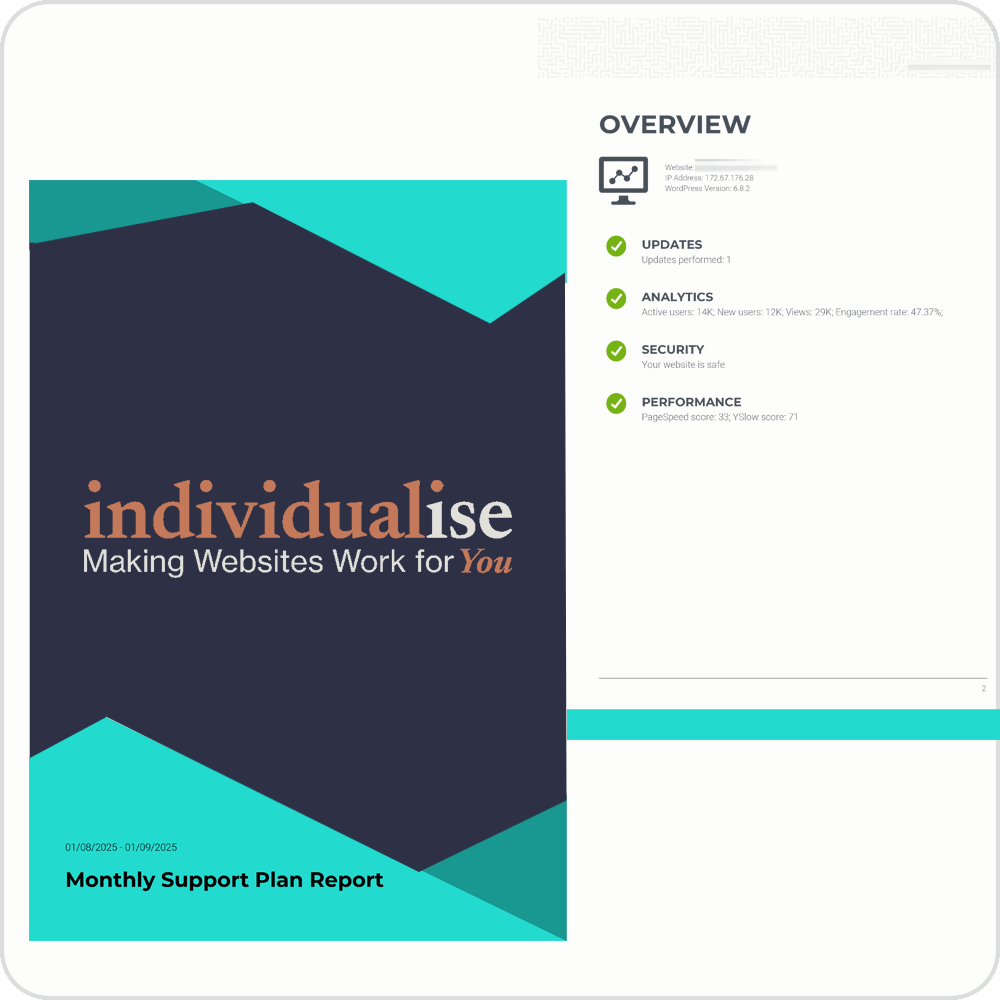
- A monthly report so you can see how your site is performing and know where your money is going each month. It’s also a handy reminder to think about what’s next for your site.
- A clear scope, so you know what’s covered and what costs extra. For example, plugins you add yourself, or bigger new features.
If a plan only promises “updates and backups” with no detail, make sure you ask more questions.
Questions to ask before you sign up
- How often are updates done, and are they checked afterwards?
- How often are backups taken, where are they kept, and how quickly can you restore one?
- What happens if my site is hacked? Is the clean-up included?
- What protection is in place before anything goes wrong? Is there a firewall, bot protection or vulnerability protection?
- Is hosting included, and who is it with?
- How much of your time is included each month, and what counts as extra?
- Who will I actually speak to?
- Can I leave easily, and will I get everything I need to move my site?
How much does website maintenance cost?
As a rough guide in the UK, basic plans covering updates and backups start at around £25 to £50 a month. Fully managed plans, with good hosting, checked updates, security and some of a real person’s time, are more like £70 to £250 a month.
Where a plan sits in that range usually comes down to:
- whether hosting is included, and how good it is
- whether updates are checked by a person or just automated
- how much hands-on time you get each month
- how big and busy your site is
My hosting and maintenance plans start from £69 a month, including managed hosting, monthly updates, backups and security.
The cheapest plan is rarely the cheapest option. Compare the monthly cost with the cost of fixing a hacked or broken site, plus the enquiries you lose while it’s down.
When you might not need one
Not every website needs a full plan. If you’re on a hosted platform like Wix or Squarespace, the platform handles the software updates for you. You may only need help now and then with design, content or SEO.
However, if you’re on WordPress and your site matters to your business, someone needs to be looking after it. That can be you, if you have the time and know-how, or it can be someone you trust.
How I look after websites
Most small businesses don’t need an agency. They need someone who knows their website. I’m the person who builds it and the person who looks after it.
I’ve been building websites since 1999, and I don’t hand them over and disappear. Most of my clients have been with me for over five years, and some for more than a decade. Your site is hosted with us on premium managed WordPress hosting, with updates done monthly and backups taken regularly. When something needs doing, you talk directly to me. There’s no ticket queue and no explaining your site to someone new, because I already know it.
We fix anything that comes to your attention, and we’ll probably spot a few others along the way and fix those too! Every fix is done properly, using the best solution rather than a quick patch, so the build quality of your site stays intact.
Keeping your website fresh
Something I’ve noticed over the years: clients on a plan keep their websites more up to date. When the monthly report lands in their inbox, it’s a nudge to think about their site. Is there a new service to add? Are the photos still right? Is that offer still running?
Without that reminder, websites tend to get forgotten until they’re badly out of date. With it, small improvements happen month by month, and the site grows with the business. Fresh, accurate content also gives Google and AI tools more reason to show you.
Extra protection, built in
Because we host all our sites on Kinsta, it gets a level of security most small business websites don’t have:
- Cloudflare protection. All traffic passes through Cloudflare’s network before it reaches your site, filtering out attacks and adding a firewall. It also helps your pages load quickly, wherever your visitors are.
- Bot protection. Blocks bad bots and greedy AI crawlers that slow your site down and use up server resources, while still letting Google and other search engines through.
- Vulnerability protection. An extra layer of defence against known weaknesses in plugins and themes.
I set these up and keep an eye on them for you. You get the protection without needing to understand any of it.
I work with local businesses, national charities and specialist B2B firms. Gympanzees, a Bristol charity creating an inclusive play and exercise centre for disabled children, is a good example. I’ve looked after their website since 2016, keeping it online, fast and secure, and over the years I’ve become an extension of their marketing team. [Read the Gympanzees case study]
Yes, everything is done remotely and stored in the cloud these days. It might seem a bit old-fashioned, but you can still pick up the phone (or drop me an email) and talk to me. I’m based in Bristol, and I love getting to know my clients and building real relationships with each of them. I’m not saying that alone is worth the cost of a support plan, but surely it goes a long way!